
Windows 10 Burger Making Game App: Burger Chef
Burger Chef is a free Windows 10 burger making game app where you have to run a fast food cafe and make delicious burgers.
Read more: Windows 10 Burger Making Game App: Burger Chef »
AlphaJax is a free word game for Windows 8 that takes on the concept of Scrabble. The app allows up to ten games to be played at a time. Get it free.
AlphaJax is a free Scrabble-like word game for Windows 8. If you have played Scrabble ever before, you will automatically know the rules of playing this game. The app has already been available for Windows Phone for a long time, and now it has made its debut on Windows 8 as well. The app, when launched requires you to log in with your Microsoft Id to play. Once you have logged in to the app, you can play the game with your Xbox Live friends, play a local game with the computer, or play with random people whom you don’t know. What’s more, if you have used this app previously on a different Microsoft machine, all your progress will be synced, and hence you don’t have to worry about losing your progress while switching over to a new system. The app not only has the ability to sync your progress from other Windows 8 machines, but it also can sync your progress from your Windows phone device if you have played this game on a Windows phone. Pretty neat, right? The app also features a soothing background soundtrack that is very relaxing to the ear.
AlphaJax allows you to chat with the users whom you are playing with. This seems to be a brilliant idea, because you can ping the user if he takes to long to reply. The app’s main interface has options that allow you to view your pending turns as well as turns of opponents that are pending. Overall, the app is designed in a way that it is very difficult to miss your move, and even if you do, you can always check out the same in the My Turns column. You can also check out the opponents pending turns in Their Turns column, and you can view the details of the games that you have played by clicking on the Played Games box. Bear in mind that the app is ad-supported.
AlphaJax is available as a free download from the Windows App Store.
In the game, you will be provided with a set of 7 random letters, which have different points. Let’s assume A carries 6 points, I carries 4 points, and M carries 1 point, then the word AIM will give you 6+4+1=11 points. To make a word out of letters, arrange them on the board so that they make a meaningful word. In essence, the game is based on the principle of the Scrabble board game.
AlphaJax app is available as a free download. This game allows you to play up to ten games simultaneously. Upon launching the app, you will be presented with an interface that looks like the below screenshot.
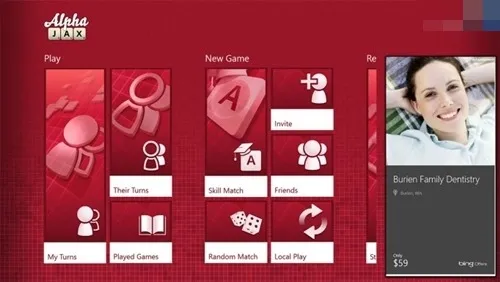
In the above screenshot, you can see the following tabs with sub-options (explained below)
Play: Under this pane, you can see various options related to the games that you are playing/have played. These options include:
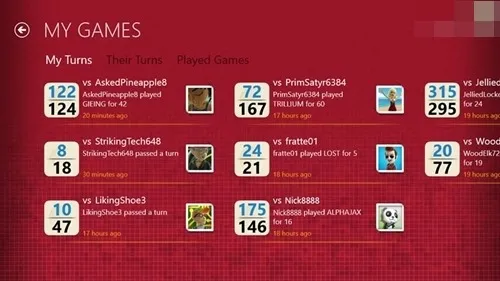 In the above window, you will be able to see your pending turns. Click on a particular item on the list, and you will be taken to your game where you will be able to play your turn.
New Game: In this tab, you can create a New Game that you wish to play. This tab gives you access to the following sub options:
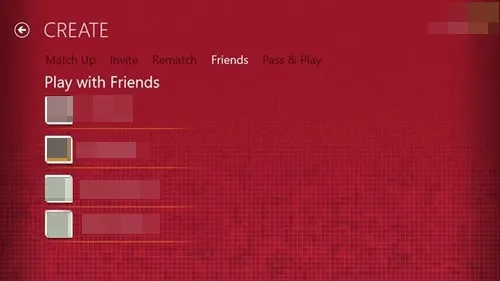 In the above window, you will be able to see your friends in a list form. You can click on their name(s) to initiate a game with them. (The ids have been blurred out to protect privacy). You can also access the Invite, Rematch, Match Up and Pass & Play options from the above window.
Results and Achievements: Under this pane, you can access options to view your statistical analysis of the games that you have played, and also, you can see the Achievements that you have unlocked. The statistical performance page resembles the following screenshot.

You can see your scores and ratings in the above screen. You can also view your achievements by clicking on the Achievements button. The unlocked achievements will then show up on your screen.
Help: Under this tab, you will be able to access the help section. This contains the basic rules etc.
This is all that you need to know to get started with using the AlphaJax app for Windows 8. You can also check out the three free scrabble apps for Android and iPhone.
If you are a fan of word games, or just a person looking forth to boosting his/her vocabulary, AlphaJax is the game for you! Although I can’t help but feel that the ad-free version of the game would have been much appreciated, yet, the app is amazing nevertheless!
Burger Chef is a free Windows 10 burger making game app where you have to run a fast food cafe and make delicious burgers.
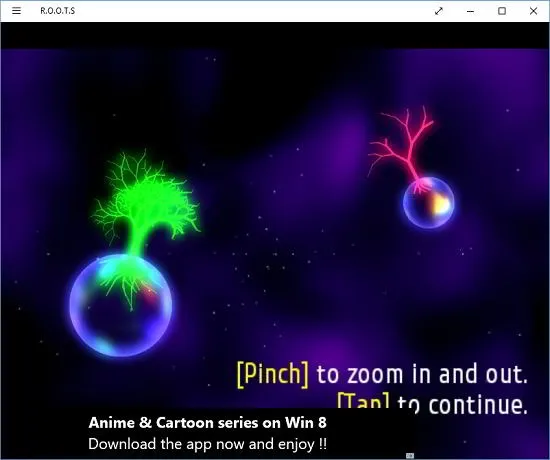
Read more: Windows 10 Burger Making Game App: Burger Chef »R.O.O.T.S is a free puzzle game app for Windows 10 devices which allows you to challenge your mind. Check it out!
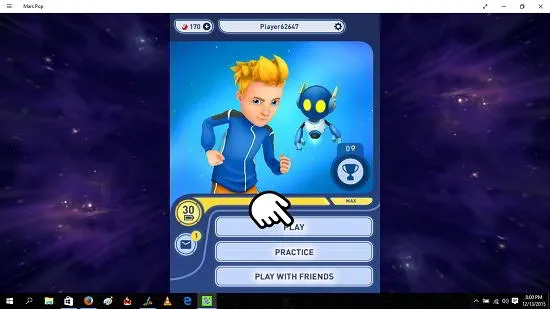
Read more: Free Puzzle Game For Windows 10: R.O.O.T.S »Mars Pop is a free multiplayer online puzzle game for Windows 10 devices. In the game, you have to pop the bubbles to create a high score. Check it out!
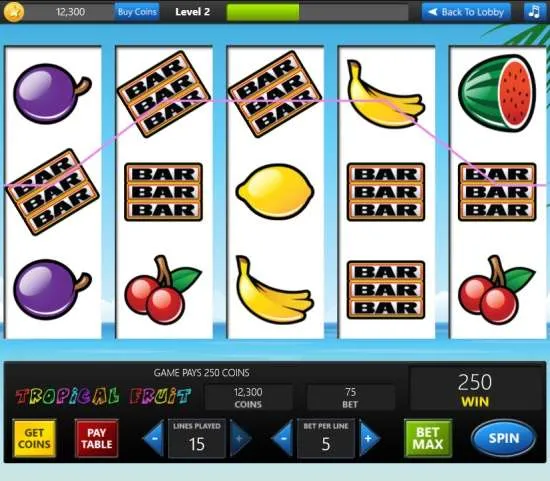
Read more: Multiplayer Puzzle Game For Windows 10: Mars Pop »Slot Machine is a free Windows 8 slot machine game app which lets you play the slots with fun. It has 16 different amazing machines.
Read more: Free Windows 8 Slot Machine Game With 16 Different Machines »Gift Hunter is a free Windows 8 Christmas Game where you have to grab gifts and stay away from the skulls. Try this fun Christmas game during holidays.
Read more: Free Windows 8 Christmas Game: Gift Hunter »Word Search is a free Android game app that displays a word search game on Android. Download free Word Search game for Android..
Read more: Word Search Game App For Android »