5 Free Video To Audio Apps For Android
Here's a list of 5 video to audio apps for Android which you can use to convert videos into audio tracks.
Read more: 5 Free Video To Audio Apps For Android »
Here's a list of 3 bagpipe apps for Android which you can use to play bagpipes on your smartphone or tablet.
Here’s a list of 3 bagpipes apps for Android which you can use to play bagpipes on Android. Bagpipes are a very fun instrument to play, mainly because of their very unique sound. Bagpipes are also slightly more complicated to master and get a hold of, since they’re not as widespread as the guitar for example. If you want to enjoy in bagpipes but you don’t know how to get started, then these bagpipe apps for Android are just what you need.
Let’s see what we found for you in Google Play Store.
Bagpipe is a bagpipe app that takes care of “airflow” for you. Notice the “Start” button in the bottom right corner?
By taping on that button the app starts sending in air through the bagpipes. Since the blowing part of the equation is taken care of, your only job as a bagpipe musician is to change notes and pitch by tapping on the holes of the bagpipes pictured on the image above. App has tutorials that can help you learn how to play, and also example music that can be downloaded from the web. Note that you can tap on and hold the tap on several holes at once and play multiple notes at once.
Get Bagpipe by NETTuno.
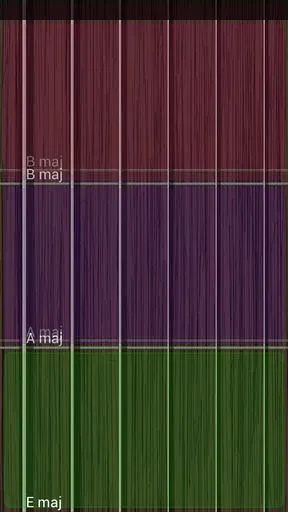
Bagpipes by Gesture Games works a bit differently from the previously mentioned bagpipes app. The main difference being is that there’s no instrument with holes, but actually a virtual scale where the instrument is played.
Tapping on each of these squares will produce a different note. Multi-tap is also supported here which means that you can “play several squares at once”, just like you can with the previously mentioned Bagpipe app by NETTuno. Scale is configurable if you for example wanna add new chords or change their range.
Get Bagpipes by Gesture Games.
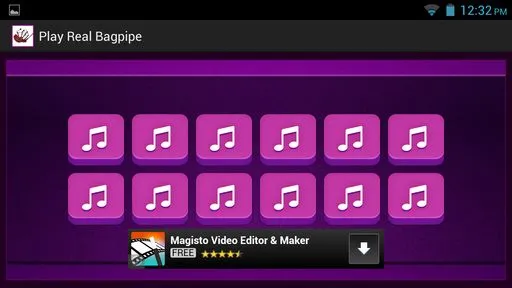
Play Real Bagpipe is again a different bagpipes app that doesn’t have an image of the actual bagpipes nor does it have a scale to play the bagpipes.
What this app has is a button strip, each button representing a different tone. Tap on one of them and that note stays pressed until a different one is pressed. Currently active note is grayed out so that you know which one of them is playing. Multi-tap is also supported here, but note that only the last note, meaning the last “button” that you’ve tapped will be the only that’s left active.
Get Play Real Bagpipe.
Bagpipe by NETTuno is our pick because it gives the most realistic bagpipe experience out of all the apps that we’ve tested. Bagpipes by Gesture Games is close behind, with its very advanced configurablity (like for example the ability to change the scale size and the range of the tones that it has to offer). Play Real Bagpipe is easy to use, perfect for bagpipe players out there who aren’t that interested in dealing with setup and would just like a simple bagpipe emulator to play around with. To sum up, all these bagpipe apps are great, each in their own way. Leave a comment down below which you think is best and why.
Here's a list of 5 video to audio apps for Android which you can use to convert videos into audio tracks.
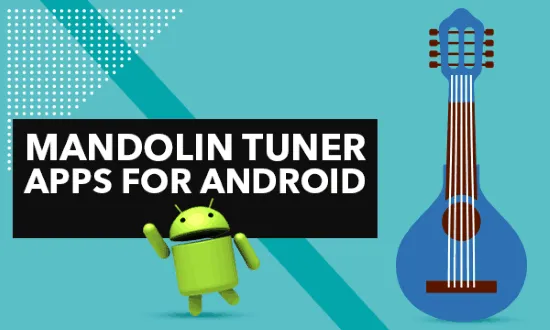
Read more: 5 Free Video To Audio Apps For Android »Here you will learn about 5 free mandolin tuner apps for Android. These apps can help you tune your mandolin strings by analyzing them in real-time.
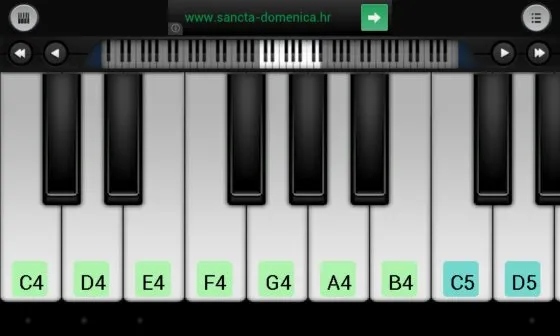
Read more: 5 Free Mandolin Tuner Apps for Android »Here's a list of 5 piano apps for Android which you can use to play and learn piano on your Android powered devices.
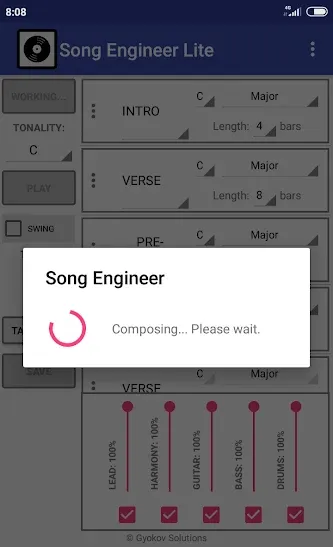
Read more: 5 Free Piano Apps For Android »Song Engineer is an app for auto song composition. It uses an algorithm that creates & matches harmony and melodies of different instruments
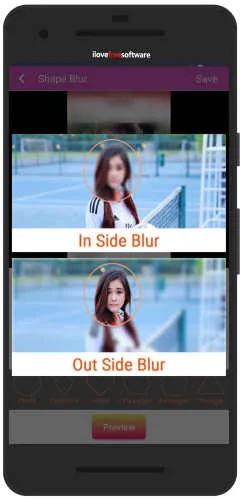
Read more: Free Automatic Music Composition Generator for Android: Song Engineer »Here you can learn about how to add depth of field to video with this Android app. Select a video, choose custom shapes to add blur effect in specific part.
Read more: How to Add Depth of Field to Video with this Android App? »SoundCloud Pulse is a free Android app to get real-time stats on SoundCloud tracks, respond to comments and share tracks both publicly and privately.
Read more: Android App To Get Real-Time Stats on SoundCloud Tracks »